New in version 2026.1.0.0 (2nd of January, 2026)
- Fixed an issue where sequential search-and-replace operations on SharePoint pages could overwrite each other. Previously, if one string replacement was executed in one run and a second replacement in a subsequent run, the initial change could be undone. This behavior has now been corrected. More available here!
- Fixed an issue where the size of the Hyperlinks, OLE, Link Sources, Pivot, and PowerQueries result grids was not correctly restored after importing data from previous scanning runs stored in the database.
- Added ReplaceMagic start-up progress bar to visualize what is happening during start of application.
- Added support for Link Source replacements if they are grouped (GroupShape) in PowerPoint documents.
- Added support for OLE replacements if OLE objects are grouped (GroupShape) in PowerPoint documents.
- Added support for nested GroupShares in PowerPoint documents.
- Fixed that when during export there are multiple worksheets all are properly formatted and not only first worksheet.
- Fixed bug as Organization and Anonymous links were not shown in result lists.
- Extended conversion of PDF LaunchActions to URIActions which is required if links are changes from file system to http(s) links. Without this functionality, replacements will work but click on link will not do anything as LaunchActions can open only file links.
- If the replacement link source exceeds 235 characters, ReplaceMagic will not perform the replacement by default. Starting with this version, the notification has been extended to include the length of the replacement as well as the specific replacement value, providing a clearer warning message.
- Extended ReplaceMagic to report how many Excel Cells or PDF Text Fragments, if "update Text" is selected, are processed before timeout. This option is enabled only if you select Replace Preview option:
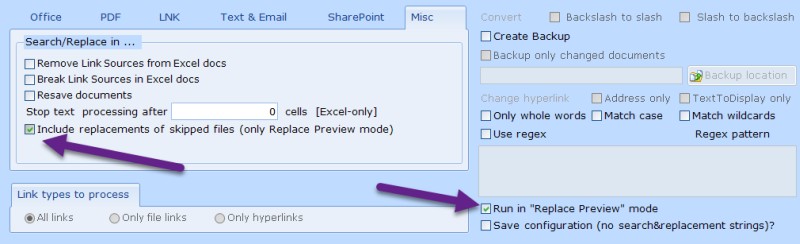

Number of processed cells is shown under "Skipped Documents" tab in Error field:


Same will work also for processing of Text Fragments in PDF documents.
Additionally, ReplaceMagic will also show all potential changes in Search & Replace tab and under Additional Info column, you will see if change belongs to the skipped document:


- Added possibility to stop processing of cells in Excel documents after entered number of cells (if update Text is selected):

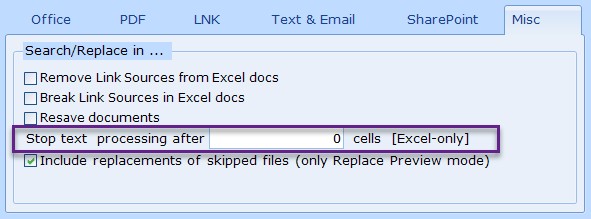
If number is set to 0, no limit is applied. This can be used in combination with "Excel Cells Counter" from Skipped Documents tab but keep in mind that "Excel Cells Counter" is just estimate as it will depend on current run and might happen that during real replacement run this number deviates from what was measured during Replace Preview mode.
Important: processed cells counter is reset after every worksheet!
- Added possibility to import list documents for processing:

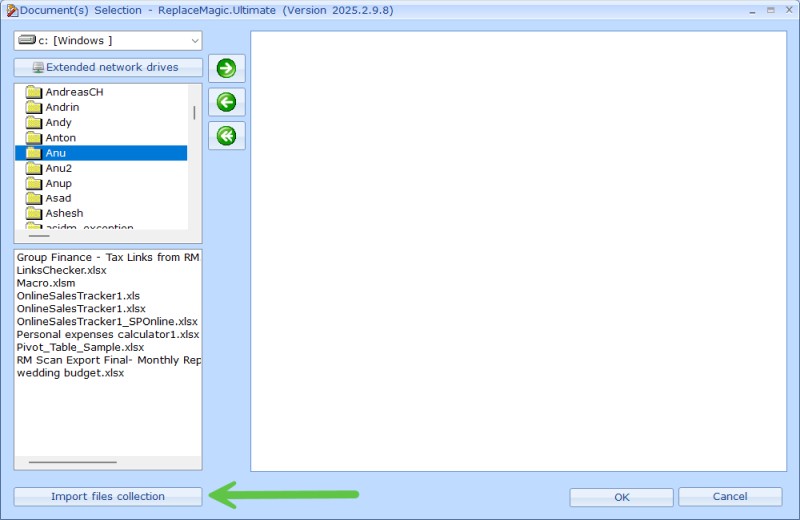
Format is that full document path has to be in single line.
- Fixed bug that import of ultra-fast scanned documents did not work. This will work for future exports!
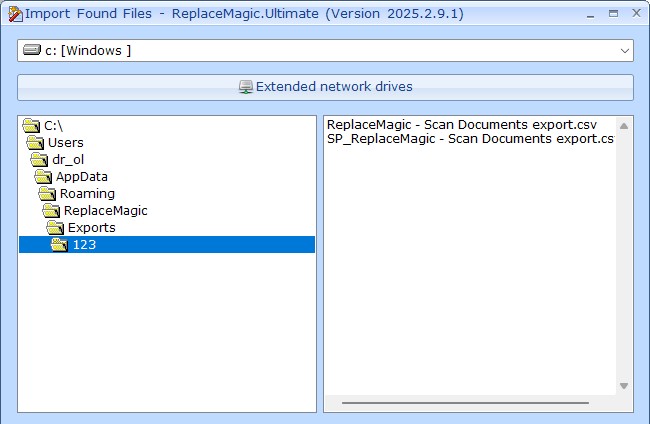
- Added scroll bars (vertical and horizontal) in Import Found Files forms:

- Extended support that export to CSV format is working for more than 1.048.576 lines.
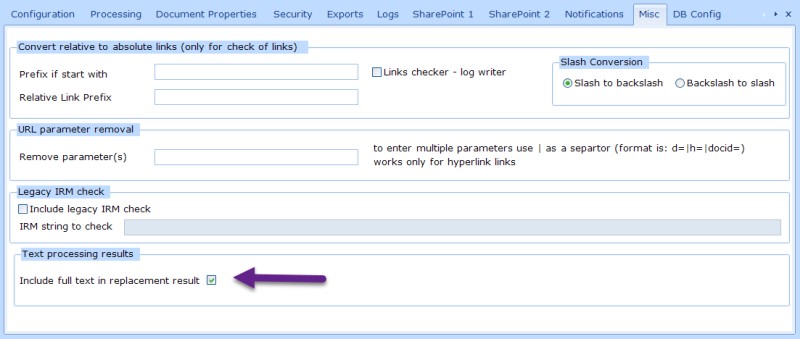
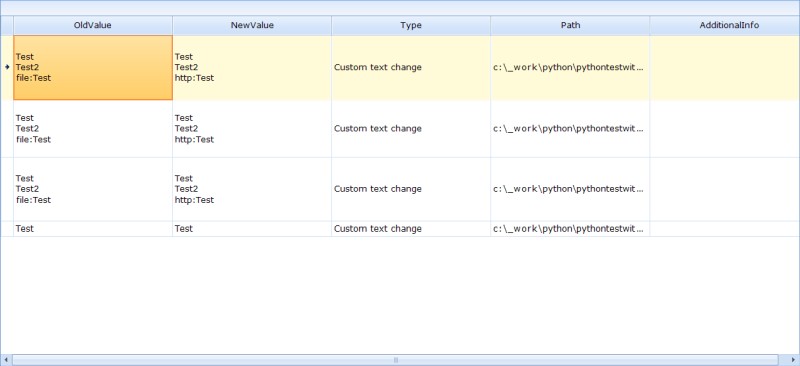
- Per default, in case of changes in text/custom file formats, ReplaceMagic will show as a replacement result search and replace strings as otherwise complete content of text file has to be shown. Now, there is parameter where it can be instructed to show complete text:
Result will look like:
- In case that you want to export replacement run results to Excel but length of OldValue and/or NewValue is longer than 32767 characters export did not work. This is happening as Excel cell has limit to store maximum 32767 characters. To avoid this, replacement run exports where length is above 32767 characters will be limited to this size.
- Export to database rewritten - initially, every new ReplaceMagic could introduce new database structure which would cause that previous saved runs are deleted to be able to recreated new database structure. From this version, we will keep previous runs but, of course, they will miss just included fields tables. Nevertheless, import of older runs should work (runs from version 2025.1 and 2025.2). More details in DB Configuration.